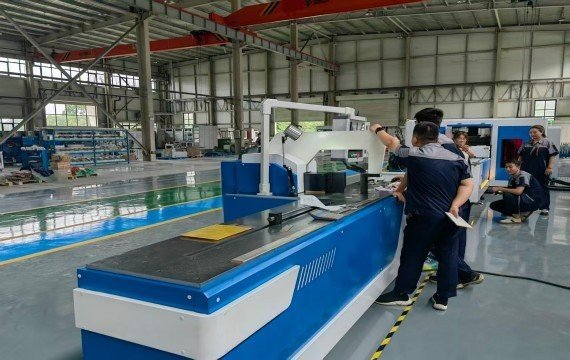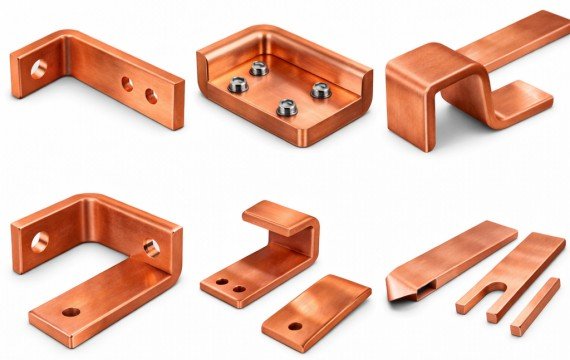
Properly operating a 3-in-1 busbar machine may require you to load and position materials after confirming the production task, processing dimensions, tooling , and equipment parameters. This article helps you understand the operating procedures suitable for your actual production, from equipment preparation, punching, shearing, bending to first-piece confirmation.
Quick Answer: How Do You Operate A 3-In-1 Busbar Machine?
The operating procedure of a 3-in-1 busbar machine depends on the delivered configuration. Confirm which functions are manual, PLC-assisted, servo-controlled or CNC-controlled. Operate the required punching, shearing and bending stations using the approved setup, then verify one representative first piece before releasing batch production.
What Should You Check Before Operating A 3-In-1 Busbar Machine?
Before starting production, confirm that the released job, installed tooling, positioning setup, and approved machine configuration. Use the pre-start check below the station.
| Pre-Start Item | Operator Confirmation |
| Job Release | Correct part number, drawing revision and approved material batch |
| Station Tooling | Correct punching, cutting and bending tooling installed |
| Station Capacity | Required operation within the approved limit of each station |
| Positioning Setup | Manual stop, digital reference, PLC, servo or CNC setup confirmed |
| Program / Parameters | Correct job program or approved parameter set loaded |
| Workpiece Support | Roller/support area clear for the busbar length |
| Safety And Controls | Guards, emergency stop, foot control and operating area ready |
| First-Piece Plan | Required first-piece checks and measuring method available |
Confirm The Job And Station Sequence
First, review the issued production task to confirm whether the copper busbar requires punching, shearing, or bending; workpiece orientation; tooling clearance; station location; and whether there will be interference with subsequent processes. The processing sequence may differ for different parts; your actual production should follow the drawings and equipment configuration.
Confirm Tooling And Station Capacity
Confirm the processing capacity for punching, shearing, and bending separately. Verify that the copper busbar width, thickness, die specifications, punching capacity, shearing capacity, and bending range support the current workpiece, caused by incorrect die selection. Using confirmed dies and parameters suitable for the current material, process, and equipment model ensures proper utilization of the equipment’s processing capabilities.
Confirm Manual And Controlled Functions
Before starting the machine, understand who operates the loading, longitudinal movement, stop adjustment, positioning, workpiece rotation, and bending angle, and which actions are controlled by the PLC, servo, or CNC. Manual handling, positioning, and flipping may affect your processing time and dimensions. By operating according to the actual delivered machine according to the actual delivered control scope rather than assuming an automated function is included.
How To Operate The Punching, Cutting And Bending Stations
The specific button settings and die-changing settings depend on your equipment model; see your actual operation manual. The following steps on the production floor.
Operate The Punching Station
Confirm that the installed punch and die match the released job. Verify the approved positioning reference, position the busbar, and complete one punching cycle. Before continuing the batch, confirm that the first punched feature meets the first-piece requirement. Keep the same positioning setup for repeat parts unless the approved job setup changes.
Operate The Cutting Or Shearing Station
Before starting the cutting process, finished product length and the length positioning method used by the equipment. Long copper busbars require proper support to reduce inaccurate cutting lengths and end-face deformation. After completing one inspection of the length, cut, and burrs, do not apply the blade clearance and cutting parameters of other models.
Operate The Bending Station
Before bending, the bending die, bending reference, workpiece orientation, and set parameters all conform to the current drawings. After positioning the busbar, perform one bend, remove the first piece, and then measure the actual angle, bending position, and dimensions. If compensation is required, record only the approved compensation value and use it for subsequent parts produced under the same confirmed setup.
How Should You Approve The First Piece And Run Batch Production?
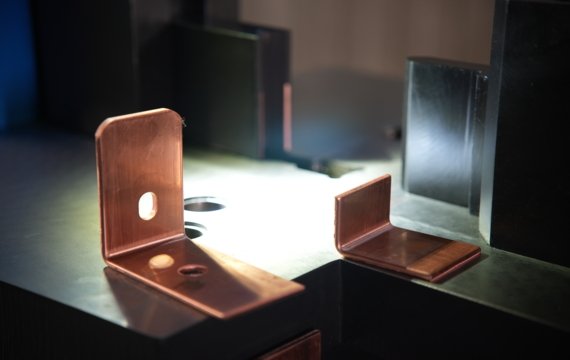
First-piece approval verifies that the current tooling, positioning method, program and machine settings produce an acceptable result before the full batch is released. Repeat first-piece approval after any controlled change that could affect the approved setup.
Approve The First-Piece Setup
The first piece should be completed using the released production material, the installed tooling, and the approved processing parameters. You need to confirm the results after punching, shearing, and bending, and record the procedures used, positioning methods, and parameter adjustments. Production after first piece confirmation can reduce trial and error after tooling changes, material changes, and order changes.
| Operation / Setup | What To Record | Approval Evidence |
| Punching | Tooling ID and positioning reference | Representative punched feature accepted |
| Cutting / Shearing | Blade/setup and length-positioning method | Finished sample accepted |
| Bending | Die set, bend reference and compensation setting | Released bend accepted |
| Program / Control | Program ID or approved parameter set | Linked to correct drawing revision |
| Material Handling | Support, rotation and manual movement sequence | Repeatable operator method confirmed |
| Inspection | Measuring method and acceptance record | First-piece approval signed or recorded |
Record The Approved Setup
Recording drawing versions, tooling numbers, equipment parameters, and confirmed angle compensations can reduce reliance on operators recalling settings during production. For repeat orders, map saved parameters to the correct parts and task versions to reduce time spent finding parameters, testing tooling , and adjusting machines. After changing tooling , programs, or adjusting settings, confirm the first piece before production.
Control Repeat And Batch Production
Your repeat or batch production needs to be processed according to the confirmed settings and operating methods. Do not change an approved positioning method or parameter set without recording the change and completing the required re-approval. If the tooling, material batch, program, or production task version changes, you need to confirm the first piece. Your actual production cycle time should include the time for loading, moving, repositioning, inspection, and tooling changeover, which can affect your capacity and labor costs.
How Should You Handle Changeover, Shutdown And Abnormal Conditions?
The 3-in-1 busbar machine’s order change, shutdown, and abnormal handling procedures must be performed according to the prescribed steps. This can reduce dimensional problems after toolingchanges and prevent minor faults from escalating into larger losses.
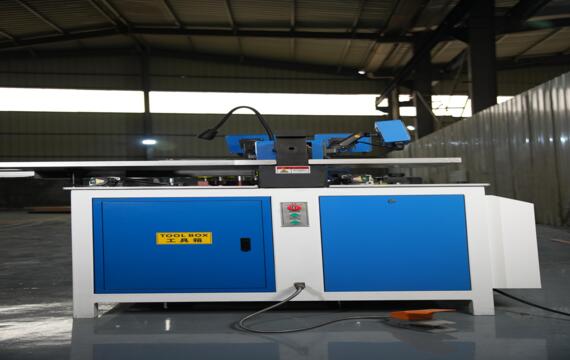
Treat Tooling Changes As Controlled Setup Work
Changing punching or bending dies may require following the instruction manual for the specific machine model. After changing the die, you need to check the die, positioning, and equipment settings. Production should only begin after the first piece is confirmed. This can reduce rework issues such as hole misalignment and incorrect bending dimensions after die change.
Stop Production When Abnormal Conditions Appear
If the equipment malfunctions, leaks hydraulic fluid, misaligns, the toolingis damaged, or there is abnormal noise, you should immediately stop production and record the situation. Do not arbitrarily modify PLC, servo, or compensation parameters. If the cause is unclear, you need to consult with technicians or the equipment supplier to avoid major downtime and costs due to incorrect parameter settings.
Complete The Production Record
Record part numbers, task versions, production quantities, toolingstatus, and any abnormalities. The next shift’s operators can quickly review the equipment status and previous settings upon receiving the records, reducing confirmation and trial run time for your repeat orders.
3-In-1 Busbar Machine Operator Training And FAT
Equipment delivery may require your operators to use the equipment correctly. Before shipment, confirm the scope of operation training, instructions, FAT, and technical support to ensure that on-site personnel can complete punching, shearing, and bending according to the confirmed procedures, thus reducing your downtime.
| Handover Item | What You Should Confirm | Evidence To Request |
| Operator Training | Startup, station use, changeover and shutdown | Training agenda / live demonstration |
| Tooling | Included dies and approved setup | Tooling list |
| Manual Operations | Loading, movement, rotation and alignment | Live workflow demonstration |
| Control Functions | PLC / servo / CNC boundaries | Function list |
| First-Part Approval | Setup and approval method | Sample record |
| Documentation | Manuals, diagrams and parameter backup | Documentation list |
| FAT | Representative material and parts | Written FAT plan |
| Technical Support | Remote support and escalation route | Service procedure |
Confirm Training And Documentation
A machine described as “easy to operate” still requires a defined training scope; you need to confirm what the training specifically covers. Training should cover startup, punching, shearing, bending, tooling changes, program loading, parameter setting, first piece confirmation, shutdown, and common alarms. Your overseas procurement team should ensure that the operation manual, electrical diagrams, hydraulic schematics, tooling information, and parameter backups are complete.
Include Operation In The FAT
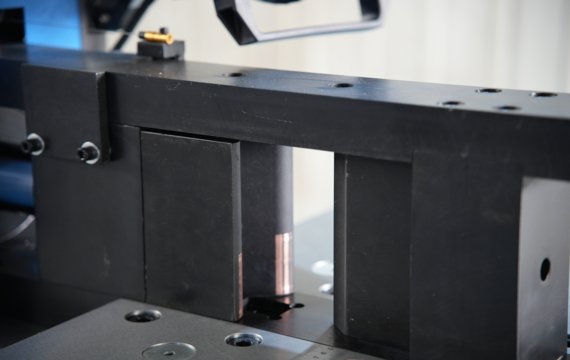
FAT depends on the actual processing performed by your operators. It is recommended that you demonstrate punching, shearing, bending, first piece confirmation, and manual loading, moving, and flipping using copper busbars and formal production tasks, recording which functions are controlled manually, by PLC, servo, or automatically. This will allow you to identify issues between operator training, equipment configuration, and actual production.
Confirm The Local Support Boundary
Before shipping, you need to clarify which operational issues will be handled by the local team and which technical issues require manufacturer intervention. You should confirm the service language, remote troubleshooting, spare-parts identification, and technical escalation route to minimize downtime for overseas after-sales service.
Frequently Asked Questions
Can A Distributor Request Multilingual Manuals Or HMI Labels?
Multilingual manuals and HMI interfaces depend on the equipment configuration and the supplier’s support scope. When distributing to different countries, you should confirm the HMI language, operating manual language, warning labels, and training materials.
What Spare Tooling Should An Importer Keep For Repeat Orders?
Spare dies should be prepared based on your long-term production hole diameters, bending sizes, and order types. When quoting, request the supplier to list the included dies, consumable parts, and suggested spare punches, lower dies, and bending dies separately to help you control inventory.
Can The Same 3-In-1 Busbar Machine Be Supplied For Different Markets?
Yes, voltage, frequency, HMI language, technical documentation, and installation requirements may differ. When arranging orders for different countries, you should confirm local electrical standards and documentation requirements in advance.
What Information Should You Send For Remote Technical Support?
You should provide the equipment model, equipment identification information, alarm codes or abnormal behavior, on-site photos or videos, the dies in use, and recently modified parameters or equipment settings.
Final Thoughts
Operate a 3-in-1 busbar machine using approved job settings, tooling, station capacity and first-piece criteria rather than generic parameters. Review FengHua’s 3-In-1 Busbar Processing Machine configurations and send your drawings, material range and production requirements for operation, tooling and FAT review.